Welcome to the Nexus App
This guide is for patients using the Nexus mobile app. It walks you through everything from signing up to using each part of the app.
The Nexus app helps you stay connected with your care team and access information and tools tailored to you. Your organisation (for example, your NHS trust or clinic) provides the app, so its name, colours, and logo may look specific to them — but the way it works is the same.
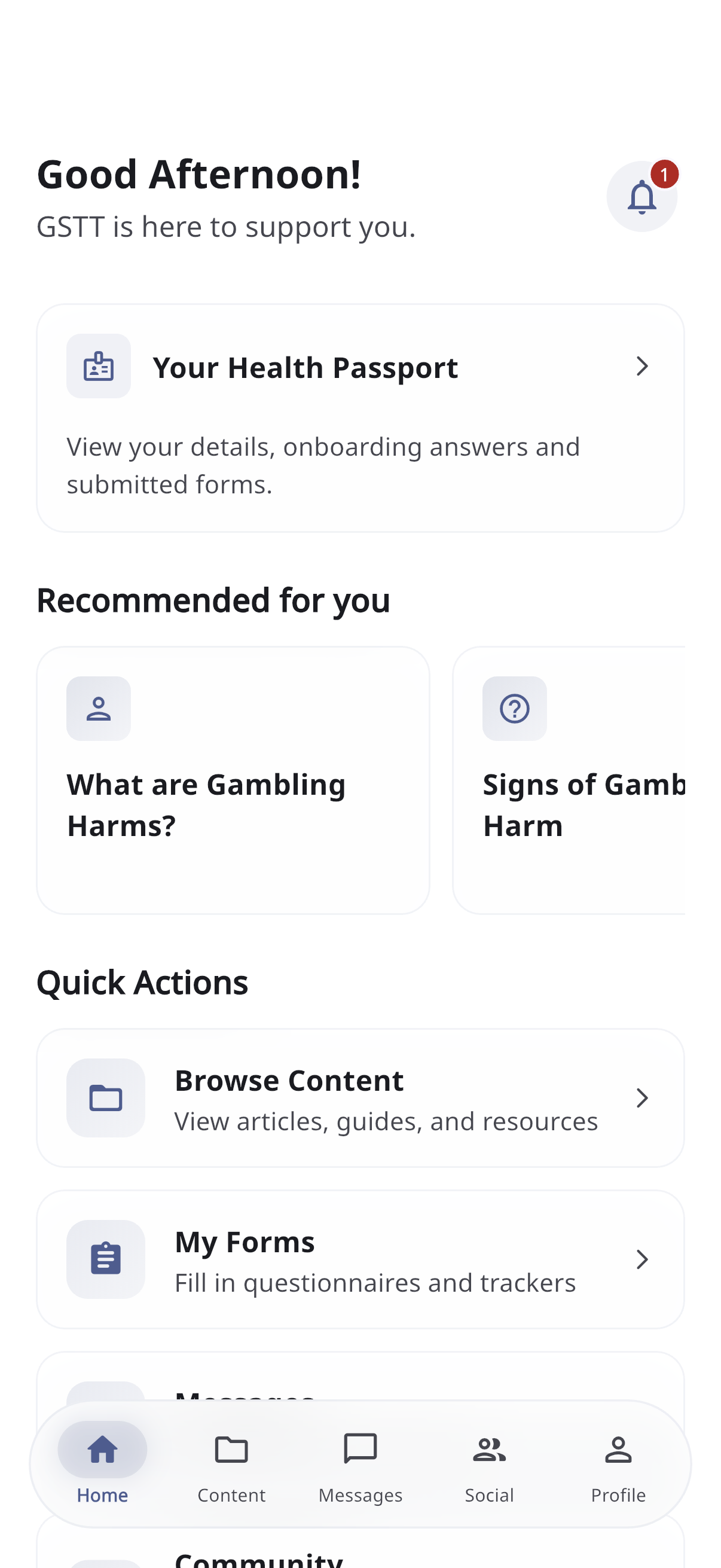
What you can do
- Read content — articles, guides, and videos prepared by your care team
- Fill in forms — questionnaires and trackers (like recording test results over time)
- Message your care team (if your organisation has this turned on)
- Join the community to connect with others (if turned on)
- See your Health Passport — a summary of your details and what you’ve submitted
- Manage your profile and notifications
The five tabs
Once you’re signed in, you move around using the tab bar at the bottom of the screen:
| Tab | What’s there |
|---|---|
| Home | Your dashboard — greeting, notifications, Health Passport, recommendations, quick links |
| Content | Browse all the articles, guides, and forms |
| Messages | Chat with your care team (if enabled) |
| Social | Community posts and discussions with others (if enabled) |
| Profile | Your settings, help, and sign out |
If you don’t see the Messages or Social tab, your organisation hasn’t enabled that feature.
Getting started
- Sign up & log in
- Choose your organisation
- Complete onboarding
- Then explore Home & your Health Passport, Content & forms, and the rest.
Need help inside the app? Open the Profile tab and tap FAQ — see Profile & settings.