Home & Your Health Passport
The Home screen
Home is the first tab and your starting point each time you open the app.
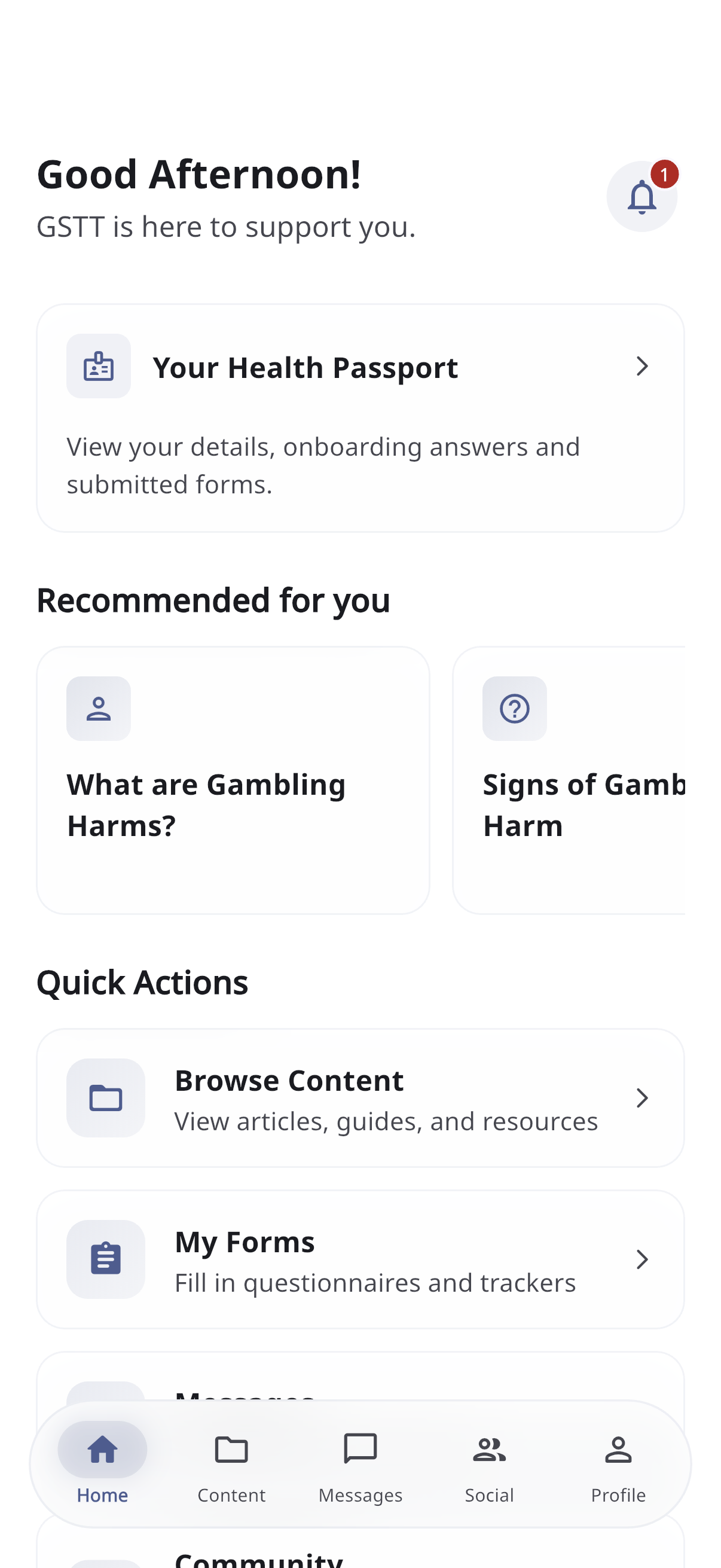
It includes:
- A friendly greeting (Good morning/afternoon/evening).
- A notification bell (top right) with a count of unread notifications — tap it to open your notifications.
- Your Health Passport card — tap it to open your passport (below).
- Recommended for you — a row of content suggested based on your onboarding answers. Tap any card to open it.
- Quick actions — shortcuts like Browse Content, My Forms, Messages, and Community.
Pull down on the Home screen to refresh your recommendations.
Your Health Passport
The Health Passport is a read-only summary of you and what you’ve shared. Open it from the Home screen.
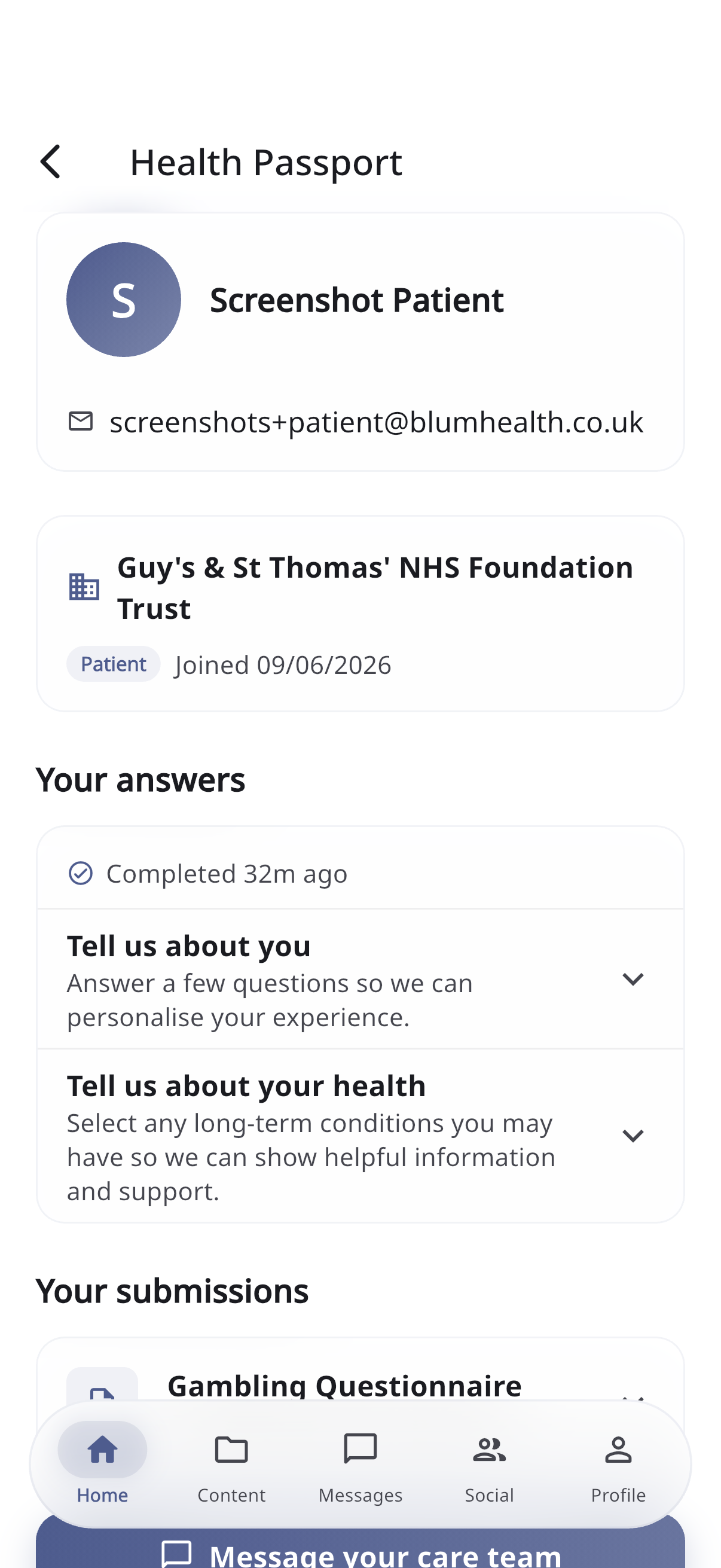
It brings together:
- Your details — name, date of birth (and age), and your initials avatar.
- Membership — the organisation, your status, when you joined, and your access level.
- Onboarding recap — the answers you gave during onboarding.
- Form history — a list of every form you’ve submitted. Tap any entry to see the full details.
- Contact Care Team — a button that opens messaging so you can get in touch.
Viewing a submitted form
Tap any entry in your form history to open it. You’ll see the form’s name, the date you submitted it, and all your answers laid out for reading. If you attached files, you can download them.
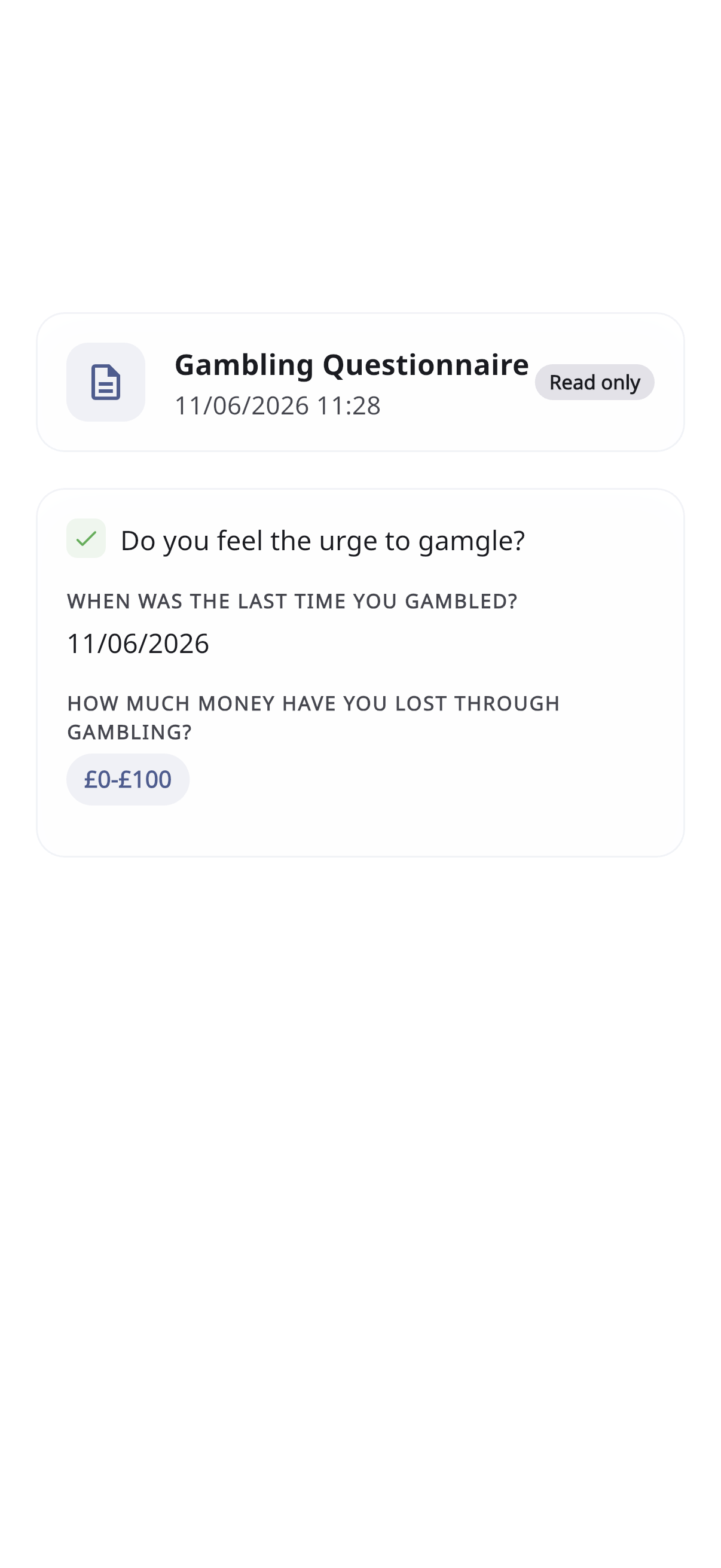
The passport is read-only. To change any of your details, please contact your care team — there’s a button to message them right there.